Quick Setup
Install the package with npm, create a router, and you're ready to receive articles in minutes. Works with Express and any Node.js framework.

Connect Monok to your custom CMS, Express app, or any Node.js backend. Receive articles as drafts via our simple API.



Content Delivered To







The @monok/server package makes it easy to connect your backend to Monok. Install via npm, configure your endpoint, and start receiving content automatically.
Install the package with npm, create a router, and you're ready to receive articles in minutes. Works with Express and any Node.js framework.
Here's everything you need to integrate Monok with your Express app:
Install the package
1npm install @monok/server expressCreate the router
1import express from "express";2import { createMonokRouter } from "@monok/server";3 4const app = express();5 6app.use(7 "/monok",8 createMonokRouter({9 apiKey: process.env.MONOK_API_KEY!,10 onArticle: async (article, { saveThumbImage, action }) => {11 const imagePath = await saveThumbImage();12 13 if (action === "publish") {14 // publish immediately in your CMS15 } else {16 // save as draft (default)17 }18 }19 })20);21 22app.listen(3000);Add your endpoint URL to Monok settings: https://yoursite.com/monok

The @monok/server package automatically sets up these endpoints for communication with Monok
/monok/push?action=draft|publishMonok pushes new article data to this endpoint. The article is processed by your onArticle callback.
token: <your-api-key>action— Set to draft or publish based on user selection in Monok GUI/monok/info?apikey=<your-api-key>Monok fetches your site information to learn about your branding, categories, tags, and authors. This helps provide better content recommendations.
apikey— Your Monok API key for authenticationgetSiteInfo callback to be configuredgetSiteInfo is not providedUnderstanding the JSON payload you'll receive from Monok
Articles are sent as JSON objects with the following structure
| Field | Type | Description |
|---|---|---|
title | String | The title of the article |
shortTitle | String | A shorter title for meta tags, pre-fills Yoast/RankMath |
description | String | Meta description for SEO, pre-fills Yoast/RankMath |
content | String | The article as WordPress-ready HTML |
text | String | The article as markdown with JSON widgets |
slug | String | URL slug generated from title, pre-fills Yoast/RankMath |
id | String | Unique ID, accessible at monok.com/puff/ID |
thumbImageData | String | Featured image as base64-encoded PNG |
thumbImageDescription | String | Alt text for the featured image |
language | String | Target language/locale (e.g., "fr", "fr-ca") |
type | String | "blog" or "news" |
keywords | [String] | Array of SEO keywords |
tags | [String] | Array of article tags |
vfImage | Object | Detailed featured image metadata |
sections | String | Category name for the article |
The text field contains markdown with JSON widgets embedded for rich media like tweets, Instagram posts, YouTube videos, and quotes.
JSON Widget in Article Text
1{2 "data": [3 {4 "name": "Phil Spencer",5 "text": "Had good calls this week with leaders at Sony..."6 }7 ],8 "id": "1484273335139651585",9 "type": "twitter",10 "url": "https://twitter.com/XboxP3/status/1484273335139651585",11 "username": "XboxP3"12}Split the text at newlines (\n) and validate whether each line is markdown or JSON. Compile markdown to HTML using a library like Drawdown (~4 KB).
For Twitter/YouTube, insert the URL field directly—WordPress recognizes embeds. For Instagram, use an iframe. Or simply use the content field for ready-made HTML.
For most integrations (WordPress, Strapi, etc.), use the content field which provides WordPress-ready HTML. This is simpler than parsing markdown and JSON widgets yourself.
Let Monok know where your articles are published to enable social media campaigns and enhance interlinking for future content
Linkback Example
1import { sendMonokLinkback } from "@monok/server";2 3await sendMonokLinkback({4 monokId: article.id,5 publicUrl: "https://example.com/blog/" + (article.slug ?? article.id),6 title: article.title,7 articleTextSample: article.text?.slice(0, 500),8 thumbnailUrl: "https://example.com/uploads/" + imageFile9});Automatically share published articles on social media platforms when Monok receives the linkback
Monok learns your published content structure and suggests better internal links for future articles
Track how your articles perform and get insights into engagement metrics across your content
Simply call sendMonokLinkback() after publishing—Monok handles the rest
Provide your site information to Monok for better content matching. Monok will automatically align categories, authors, and tags with your existing structure.
Advanced Setup with Site Info
1import express from "express";2import {3 createMonokRouter,4 sendMonokLinkback,5 type MonokArticle6} from "@monok/server";7 8const app = express();9 10app.use(11 "/monok",12 createMonokRouter({13 apiKey: process.env.MONOK_API_KEY!,14 imageDir: "./uploads", // optional15 // Optional: provide site info if you want Monok to query it16 getSiteInfo: {17 js_scripts: "Enabled",18 version: "1.0.0",19 name: "My Site",20 logo: "https://example.com/logo.png",21 categories: ["Content", "News Articles", "Uncategorized"],22 post_types: ["post", "page"],23 tags: ["Tech", "Health", "News"],24 authors: [25 {26 name: "Jane Doe",27 profile: "Editor-in-chief",28 id: "1",29 avatar: "https://example.com/avatars/jane.png",30 roles: ["administrator"]31 }32 ]33 },34 onArticle: async (article: MonokArticle, { saveThumbImage, action }) => {35 const imagePath = await saveThumbImage();36 console.log("Received article:", article.title);37 38 if (action === "publish") {39 // publish immediately40 } else {41 // save as draft42 }43 44 // when you publish later, notify Monok:45 // await sendMonokLinkback({46 // monokId: article.id,47 // publicUrl: "https://example.com/blog/" + (article.slug ?? article.id),48 // title: article.title,49 // articleTextSample: article.text?.slice(0, 500),50 // thumbnailUrl: imagePath51 // ? "https://example.com/uploads/" + require("path").basename(imagePath)52 // : undefined53 // });54 }55 })56);57 58app.listen(3000);Monok learns your existing categories and automatically assigns articles to the most relevant ones based on content analysis.
Provide your author list so Monok can suggest or assign the appropriate author to each article based on topic and expertise.
Monok uses your existing tag taxonomy to suggest relevant tags for each article, maintaining consistency across your content.
Share your site name and logo with Monok to ensure all generated content aligns with your brand identity and guidelines.
The getSiteInfo configuration is entirely optional. However, providing this information significantly improves content quality and relevance by allowing Monok to understand your site's structure and existing content organization.


Install @monok/server via npm. Create a POST endpoint that receives article data from Monok. Save images automatically. Publish immediately or as drafts. Send linkbacks when content goes live. That's it—Monok handles the rest.
Common issues and how to resolve them
Many servers limit the amount of data you can send to them. When a thumbImageData field is sent, it can exceed that limit, yielding a 413 Payload Too Large error.
Solution:
Make sure your Nginx value for client_max_body_size is larger than 5MB.
In some cases, websites have limited POST and GET calls by restricting endpoints through Nginx.
Open up the following endpoints:
website.com/wp-json/monok/* (for WordPress)website.com/monok/* (for API integration)The wildcard is there because there are two paths—Nginx configurations understand wildcards.
If your Nginx setup restricts IP addresses, you'll need to whitelist Monok's server.
Solution:
Open it up for this address: 51.158.177.191
What our customers say

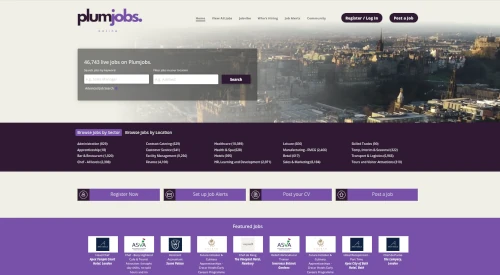
Working with Monok is one of the most innovative things we have done as a business and is definitely a game changer for us. Monok is our secret weapon and the future!

Ivan Mackenzie
Head of, Plumjobs

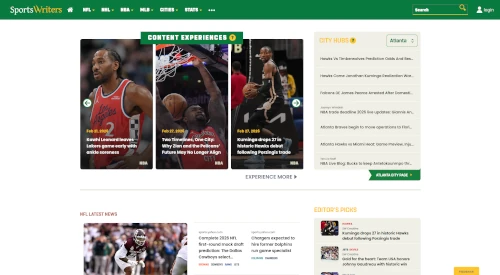
Working with Monok has been one of our best experiences with a Service Provider. Monok’s Product Roadmap consistently predicts market needs.

Matt Kovelan
Founder, SportsWriters

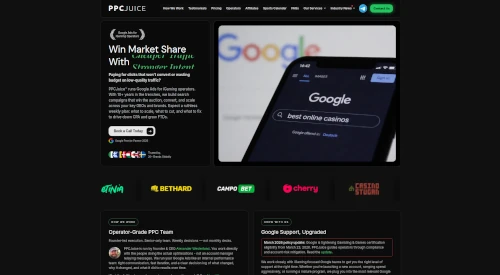
Monok lets us scale SEO-aligned content without adding internal overhead. Articles are on-brand, commercially sharp, and built to support our paid acquisition funnels, turning traffic into measurable client growth.

Alexander Westerlund
Founder, PPCjuice

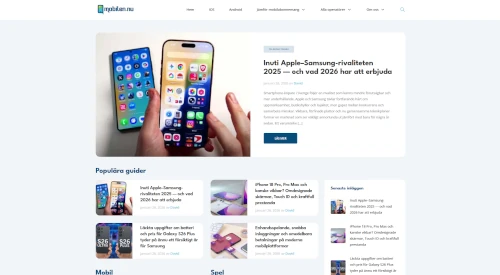
Working with Monok has strengthened how we publish at mobilen.nu. What stands out is not just the speed, but the true nativization, the content doesn't feel translated, it feels written for a Swedish audience from the start.

Joel Carlsson
Founder, mobilen.nu
I think it's very good! I used it for my ventura backed SaaS in Chinese, the language was very good

Xunzhu Tang, PhD
Founder, NoahCode
Working with Monok is one of the most innovative things we have done as a business and is definitely a game changer for us. Monok is our secret weapon and the future!
Ivan Mackenzie
Head of, Plumjobs
Working with Monok has been one of our best experiences with a Service Provider. Monok’s Product Roadmap consistently predicts market needs.
Matt Kovelan
Founder, SportsWriters
Monok lets us scale SEO-aligned content without adding internal overhead. Articles are on-brand, commercially sharp, and built to support our paid acquisition funnels, turning traffic into measurable client growth.
Alexander Westerlund
Founder, PPCjuice
Working with Monok has strengthened how we publish at mobilen.nu. What stands out is not just the speed, but the true nativization, the content doesn't feel translated, it feels written for a Swedish audience from the start.
Joel Carlsson
Founder, mobilen.nu
I think it's very good! I used it for my ventura backed SaaS in Chinese, the language was very good
Xunzhu Tang, PhD
Founder, NoahCode
Featured in














Cover topics beyond your knowledge domain at low or high volume.
Pricing
Every tier keeps your production flexible. Pause whenever you need and only pay for the stories we deliver.
Currency
Updating live rates…
Basic

Starter

Custom

FAQ
@monok/server is a Node.js package that provides Express middleware for receiving articles from Monok. It handles authentication, image storage, and provides helpers for publishing and linkback notifications.
Yes, a developer will need to set up the initial integration. However, the @monok/server package makes it straightforward—just install via npm, configure your API key, and define how to handle incoming articles.
Two main endpoints: POST /monok/push receives article data (with optional ?action=draft or ?action=publish query param), and GET /monok/info returns your site information if configured (categories, tags, authors).
Article thumbnail images are sent as base64 data. Use the saveThumbImage() helper provided in the onArticle callback to automatically save them to your server's imageDir directory.
Yes. Pass an imageDir option to createMonokRouter() to specify where images should be stored. By default, images are saved to './uploads'.
A linkback notifies Monok when an article is published on your site. Use sendMonokLinkback() to send the public URL, title, and thumbnail. This helps Monok track performance and provide analytics.
Yes! The package includes built-in TypeScript declarations. You get full autocomplete and type checking for article objects, configuration options, and helper functions.
Currently @monok/server is designed for Express. However, you can adapt the concept to other frameworks by creating similar POST and GET endpoints that match the API specification.
Your Monok API key is available in your account settings. Store it securely in environment variables (like process.env.MONOK_API_KEY) and never commit it to version control.
The article object includes: id, title, text (HTML content), slug, tags, category, author info, thumbnail image data, language, and other metadata. Full TypeScript types are available in the package.
No. API integration is included with your Monok subscription at no extra charge. The @monok/server package is free and open-source.
Yes. Run your Express app locally and use a tool like ngrok to expose it to the internet temporarily. Add the ngrok URL to your Monok settings for testing.