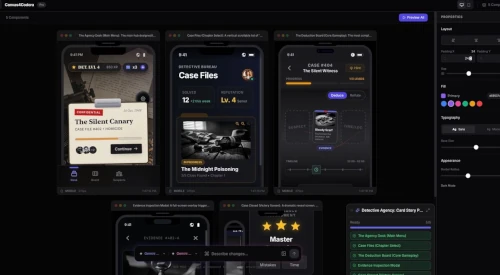
CMS Ready
Articles arrive in the right collection with fields mapped to your existing structure.
Deliver finished articles straight to your Framer CMS, ready to review and publish.




Content Delivered To







Everything prepared before content reaches your CMS.
Articles arrive in the right collection with fields mapped to your existing structure.
Images are compressed and prepared for fast pages without sacrificing quality.
Titles, descriptions, slugs, and article structure arrive ready for search.
Contextual internal links connect new articles to the pages that matter.
Publishing can trigger social posts without adding another step to your workflow.
Monok tracks what has already been sent so your team avoids duplicate entries.
See Monok in action
Experience the power of AI-human collaboration in real-time. See how Monok delivers high-quality, on-brand content at scale.
No copying, pasting, reformatting, or rebuilding article fields.
Writing, images, links, and delivery stay together from start to finish.
Every CMS item follows the same structure and publishing standard.
Create a key, connect your project, and send articles to Framer.
Generate a key from the API Keys section in your Framer project settings.
Add your Framer project URL and API key to Monok integrations.
Send a finished article to your Framer CMS, ready for review and publishing.
Quick Setup
You only need your Framer project URL and an API key.
Open the Framer project you want Monok to publish to.
Press Cmd+K, search for 'open settings', and open the General section.
Scroll to API Keys, create a new key, and copy it.
Treat the API key like a password and do not share it publicly.
Open Integrations, choose Framer, then paste the project URL and API key.
Open an article in Monok and send it to your connected Framer project.
What our customers say

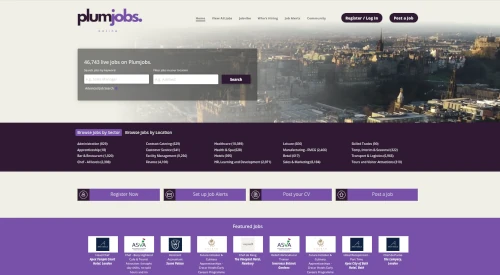
Working with Monok is one of the most innovative things we have done as a business and is definitely a game changer for us. Monok is our secret weapon and the future!

Ivan Mackenzie
Head of, Plumjobs

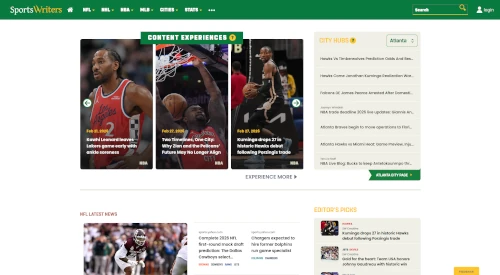
Working with Monok has been one of our best experiences with a Service Provider. Monok’s Product Roadmap consistently predicts market needs.

Matt Kovelan
Founder, SportsWriters

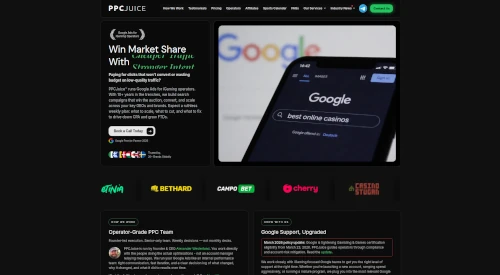
Monok lets us scale SEO-aligned content without adding internal overhead. Articles are on-brand, commercially sharp, and built to support our paid acquisition funnels, turning traffic into measurable client growth.

Alexander Westerlund
Founder, PPCjuice

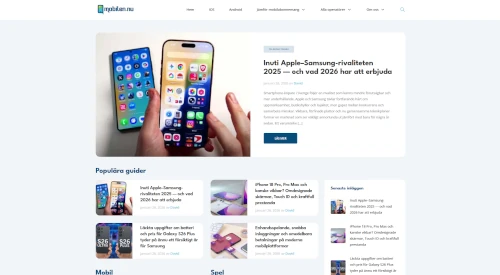
Working with Monok has strengthened how we publish at mobilen.nu. What stands out is not just the speed, but the true nativization, the content doesn't feel translated, it feels written for a Swedish audience from the start.

Joel Carlsson
Founder, mobilen.nu
I think it's very good! I used it for my ventura backed SaaS in Chinese, the language was very good

Xunzhu Tang, PhD
Founder, NoahCode
Working with Monok is one of the most innovative things we have done as a business and is definitely a game changer for us. Monok is our secret weapon and the future!
Ivan Mackenzie
Head of, Plumjobs
Working with Monok has been one of our best experiences with a Service Provider. Monok’s Product Roadmap consistently predicts market needs.
Matt Kovelan
Founder, SportsWriters
Monok lets us scale SEO-aligned content without adding internal overhead. Articles are on-brand, commercially sharp, and built to support our paid acquisition funnels, turning traffic into measurable client growth.
Alexander Westerlund
Founder, PPCjuice
Working with Monok has strengthened how we publish at mobilen.nu. What stands out is not just the speed, but the true nativization, the content doesn't feel translated, it feels written for a Swedish audience from the start.
Joel Carlsson
Founder, mobilen.nu
I think it's very good! I used it for my ventura backed SaaS in Chinese, the language was very good
Xunzhu Tang, PhD
Founder, NoahCode
Featured in












Cover topics beyond your knowledge domain at low or high volume.
Pricing
Every tier keeps your production flexible. Pause whenever you need and only pay for the stories we deliver.
Currency
Updating live rates…
Basic

Starter

Custom

FAQ
You need the URL of your Framer project and an API key created in that project's settings.
Open your project, press Cmd+K, search for 'open settings', choose General, and scroll to API Keys.
Yes. Monok stores the key securely and uses it only to connect to your Framer project.
No. The integration delivers content to your CMS. Your Framer layout, components, and visual design remain yours.
Yes. You keep editorial control and can review the CMS content before making it live.
Images are prepared and compressed before delivery so they are ready for your Framer pages.
Yes. Connect each project with its own project URL and API key, then choose the destination when publishing.
Yes. Once delivered, the CMS item remains fully editable in Framer.