SEO Ready
Yoast and RankMath fields pre-filled. Meta titles, descriptions, keywords, and slugs done.
Daily WordPress articles, automatically delivered, human-written and SEO-optimized.




Content Delivered To







Everything optimized before you even open the draft.
Yoast and RankMath fields pre-filled. Meta titles, descriptions, keywords, and slugs done.
Every image optimized for speed and storage. Choose your resolution, we handle the rest.
Reads your site structure and assigns the right categories and tags automatically.
Analyzes author bios and matches articles to the most relevant writer on your team.
Creates contextual internal links and adds relevant outbound sources automatically.
Publishing triggers your social campaigns automatically. One click, multi-channel.
Only runs when you push content. Sits dormant otherwise. No speed hit.
Download, upload, done. No technical knowledge needed.
Tracks what your team publishes to prevent duplicate content.
See Monok in action
Experience the power of AI-human collaboration in real-time. See how Monok delivers high-quality, on-brand content at scale.
No manual SEO, image optimization, or categorization. Happens in seconds.
No separate tools for images, SEO, or coordination. Everything included.
Perfect SEO, optimized images, accurate attribution. Every time.
Get one with Monok. We take care of hosting, updates, hourly backups and email, with domain registration and renewals covered. Then connect our plugin to bring your content straight into WordPress.
Explore WordPress hosting
Download plugin. Install. Push articles with one click.
Get your private plugin from settings. Contains your unique API key.
Upload through WordPress admin. Configure defaults: categories, resolution, authors.
Click 'Push to WordPress'. Article appears as draft with everything configured.
Quick Setup
Simple installation, no tech required
Settings → WordPress Integration. Download your personalized plugin.
Don't share your plugin with others.
WordPress admin → Plugins → Upload. Install and activate.
Set default category, post type, author, and image resolution.
Check your Monok profile. Your WordPress site should appear in connected sites.
Open any article, click 'Push to WordPress', select your site.
What our customers say

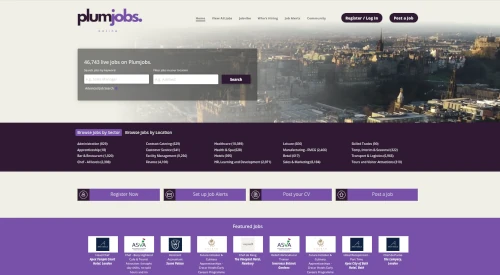
Working with Monok is one of the most innovative things we have done as a business and is definitely a game changer for us. Monok is our secret weapon and the future!

Ivan Mackenzie
Head of, Plumjobs

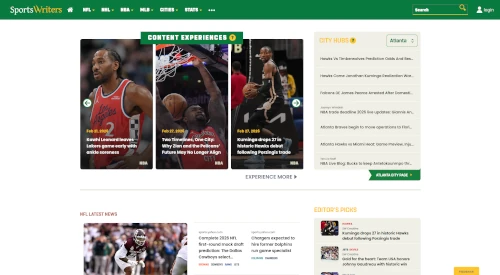
Working with Monok has been one of our best experiences with a Service Provider. Monok’s Product Roadmap consistently predicts market needs.

Matt Kovelan
Founder, SportsWriters

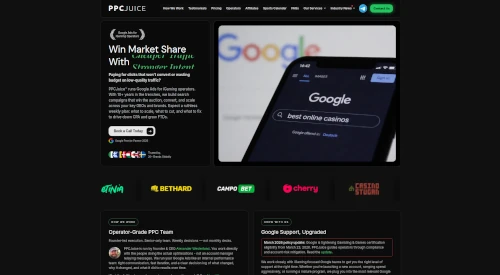
Monok lets us scale SEO-aligned content without adding internal overhead. Articles are on-brand, commercially sharp, and built to support our paid acquisition funnels, turning traffic into measurable client growth.

Alexander Westerlund
Founder, PPCjuice

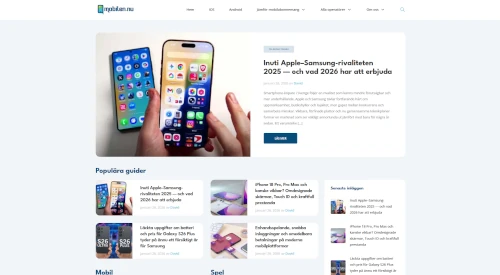
Working with Monok has strengthened how we publish at mobilen.nu. What stands out is not just the speed, but the true nativization, the content doesn't feel translated, it feels written for a Swedish audience from the start.

Joel Carlsson
Founder, mobilen.nu
I think it's very good! I used it for my ventura backed SaaS in Chinese, the language was very good

Xunzhu Tang, PhD
Founder, NoahCode
Working with Monok is one of the most innovative things we have done as a business and is definitely a game changer for us. Monok is our secret weapon and the future!
Ivan Mackenzie
Head of, Plumjobs
Working with Monok has been one of our best experiences with a Service Provider. Monok’s Product Roadmap consistently predicts market needs.
Matt Kovelan
Founder, SportsWriters
Monok lets us scale SEO-aligned content without adding internal overhead. Articles are on-brand, commercially sharp, and built to support our paid acquisition funnels, turning traffic into measurable client growth.
Alexander Westerlund
Founder, PPCjuice
Working with Monok has strengthened how we publish at mobilen.nu. What stands out is not just the speed, but the true nativization, the content doesn't feel translated, it feels written for a Swedish audience from the start.
Joel Carlsson
Founder, mobilen.nu
I think it's very good! I used it for my ventura backed SaaS in Chinese, the language was very good
Xunzhu Tang, PhD
Founder, NoahCode
Featured in














Cover topics beyond your knowledge domain at low or high volume.
Pricing
Every tier keeps your production flexible. Pause whenever you need and only pay for the stories we deliver.
Currency
Updating live rates…
Basic

Starter

Custom

FAQ
Absolutely not. The plugin only runs when you push an article from Monok. It sits completely dormant the rest of the time, consuming zero server resources and having no impact on page load speed or site performance.
The plugin detects which SEO plugin you're using and automatically populates the correct fields. It works with Yoast, RankMath, or no SEO plugin at all. You don't need to configure anything—it just works.
We support JPEG, PNG, and WebP formats. You can choose from three resolution tiers in the plugin settings: Standard (optimized for blogs), High (for portfolios and magazines), or Custom (specify your own dimensions). All images are compressed intelligently regardless of resolution.
The plugin analyzes the bio and description of every author in your WordPress database, including guest contributors. If a guest author's bio aligns with an article's topic, they'll be automatically assigned. You can also set a default fallback author in settings.
Yes! Articles are pushed as drafts by default, giving you full editorial control in WordPress. You can edit content, adjust categories, modify links, or change anything before publishing. If you prefer, you can also configure auto-publish mode in Monok.
All embedded content—YouTube videos, Instagram posts, Twitter/X posts, TikToks, and other oEmbeds—are automatically included and formatted correctly in WordPress. They'll render natively using WordPress's built-in embed handlers.
The plugin maintains a database of article IDs that have been pushed from Monok. When team members try to push the same article to the same site, they receive a notification that it's already been published, preventing accidental duplicates.
Yes! In the plugin settings, you can select which post type to use: standard posts, pages, or any registered custom post type (like portfolios, case studies, products, etc.). Different Monok categories can map to different post types.
Yes. Install the same plugin on each site you want to connect. They'll all appear in your Monok site selector when pushing articles.
The plugin analyzes article content for keywords and topics, then scans your existing posts to find relevant matches. It inserts contextual anchor text links that make sense to readers and search engines. You control the maximum number of internal links in settings.